
Steal this.
What I actually run with Claude Code, at work and after hours.
- Sam Gaddis
- Runpoint
- 10 minutes
- The promise: Everything here is meant to be copied.
- First: How I run agents for real work.
- Then: The side projects I build while those agents run.
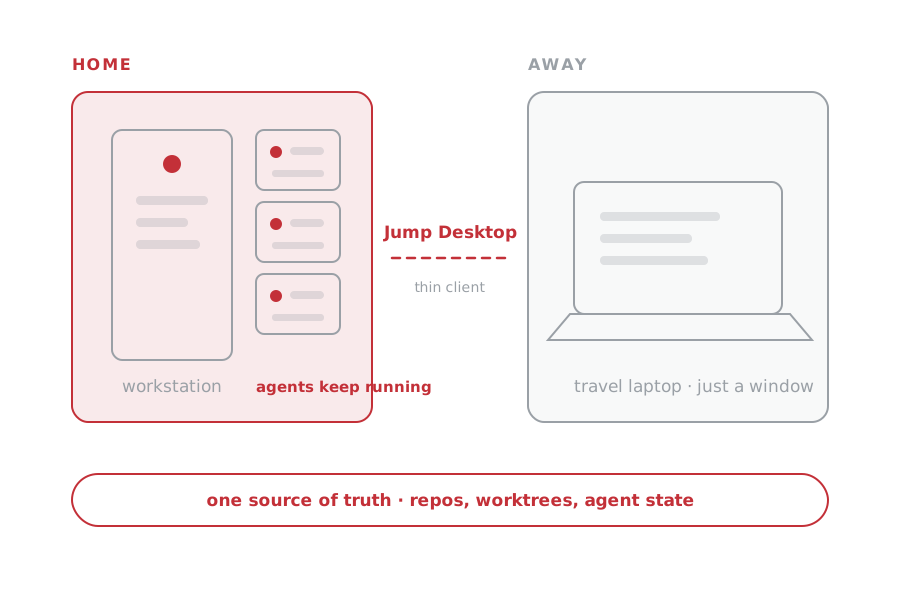
The agents stay home. I don't.
The big workstation stays at home; I reach it from a light laptop over Jump Desktop and let long-running Claude Code tasks keep moving after I leave.
- jumpdesktop.com ↗Screens, Chrome Remote Desktop, Parsec, AnyDesk, TeamViewer also work
More headroom
The home workstation has more power, memory, and disk than the travel laptop.
Thin client
The travel laptop is just a window through Jump Desktop.
One source of truth
Repos, worktrees, and agent state stay on one machine. No Dropbox shuffle.
- First reason: Agents keep working when I leave, travel, or close the laptop.
- Second reason: My home workstation has more power, memory, disk, and headroom.
- One machine: Repos, worktrees, and agent state stay together. No Dropbox syncing.
- Thin client: Jump Desktop turns the laptop into a window onto that machine.
Put judgment at the gates.
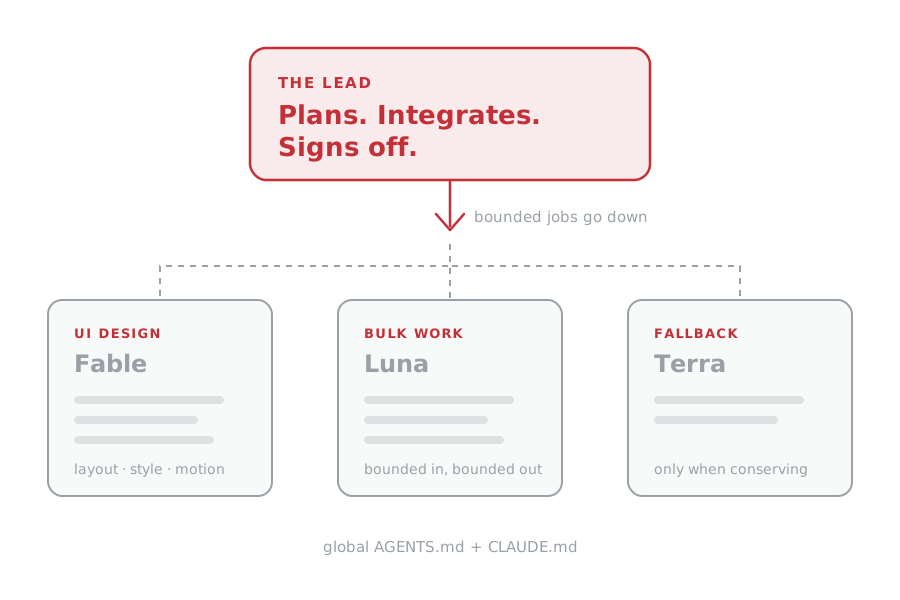
One lead owns the plan, integration, and final call. Specialists get bounded jobs. Fable originates every UI design.
Plans it. Integrates it. Signs off.
One model owns every project-level conclusion.
bounded jobs go down ↓
Fable originates
Layout, hierarchy, style, and motion start here.
Luna
Extract, classify, transform. Bounded in, bounded out.
Terra
Used only when limits make conservation necessary.
global AGENTS.md + CLAUDE.md
- Lead: Owns planning, integration, verification, and final judgment.
- Fable: Originates UI design. The lead builds and verifies it.
- Luna: Bounded bulk work. Terra: Usage fallback.
- Where it lives: My global AGENTS.md and CLAUDE.md.
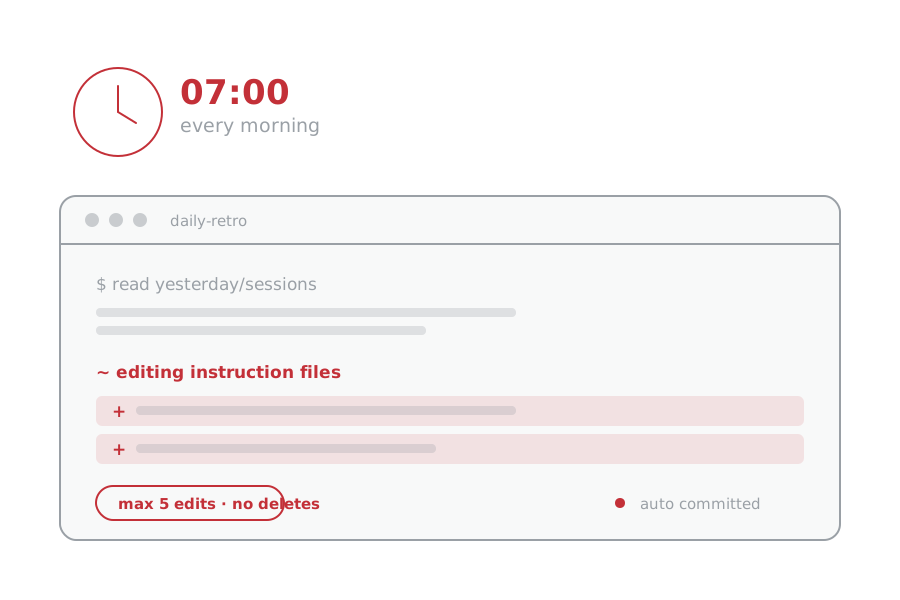
At 7am, Claude Code reviews yesterday.
It reads yesterday's sessions, edits my instruction and skill files when it finds a durable lesson, and writes a plain-English report.
- max 5 edits per run
- never deletes
- no secrets
- auto committed
Yesterday
Read the actual transcript of what happened across work and personal projects.
Edit
Fold durable preferences and recurring friction directly into the right instruction files.
Report + commit
Explain every change in a report; a watcher auto-commits the skill edits.
- 7 a.m.: Reads the last day of sessions and recent reports.
- Acts: Makes the changes itself. Durable lessons go into instructions, skills, or memory.
- Guardrails: At most five edits. No deletions. No secrets. Report every change.
- Commit: A watcher commits the skill changes automatically.
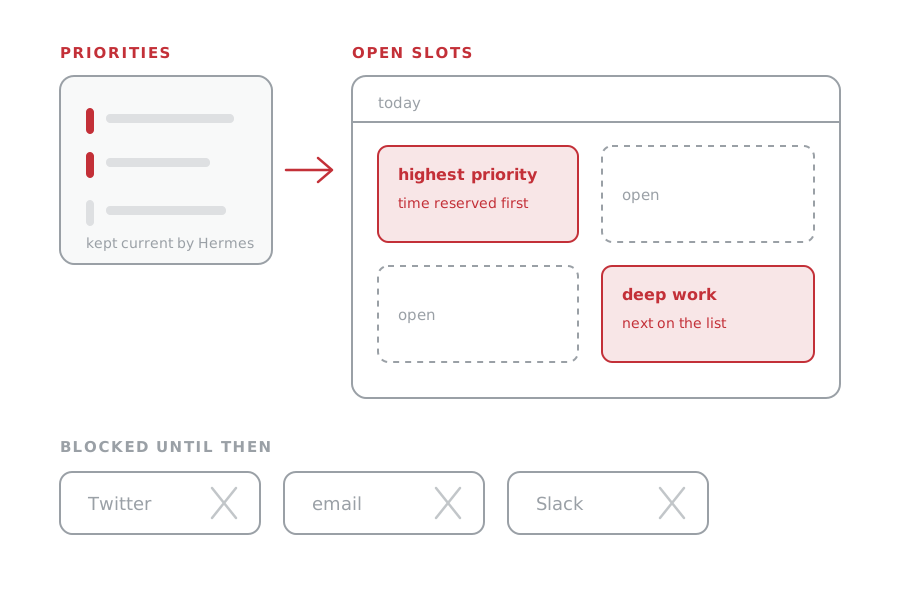
Chrome Prioritizer decides what I should do next.
Hermes keeps Linear current. This finds open calendar slots, makes me allocate time to the highest-priority work, and blocks distractions until I do.
- Input: Hermes keeps my Linear priorities current.
- Plan: Prioritizer finds open calendar slots and makes me reserve time for the highest-priority work.
- Enforcement: Twitter, email, and Slack stay blocked until the important work has time.
The company is a repo.
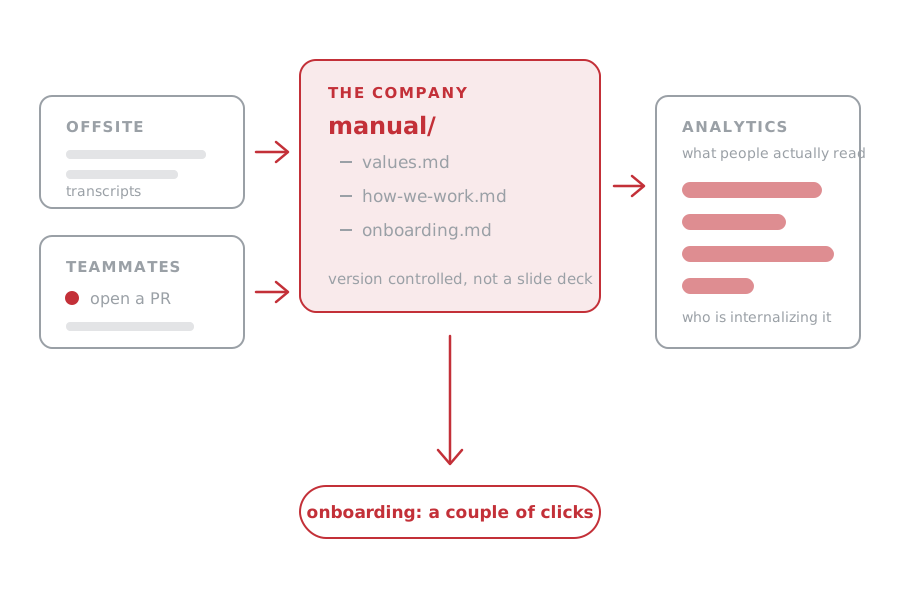
Our canonical operating manual is code. Offsite transcripts update it, teammates propose PRs, and analytics show what people actually read.
- manual.runpoint.ai ↗password-gated, sorry
- Old version: Most companies have a canonical values and how-we-work document. I made plenty. Mine were usually bad.
- Now: The manual is code. Offsite transcripts update it. Teammates propose PRs.
- Feedback: Analytics show what people read and who is internalizing it.
- Onboarding: A couple of clicks, and people seem to like it.
Hermes handles the business chores.
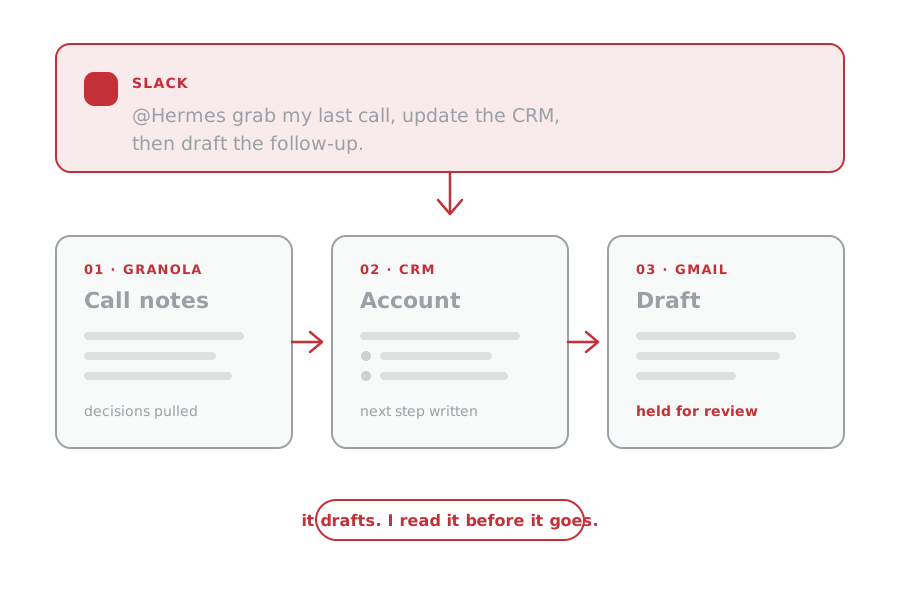
Slack is my main interface. Hermes pulls call context, updates the CRM, drafts in Gmail, runs background checks, and helps with proposals and research.
- drafts by default
- Gmail/GWS, Granola, CRM, hosted outputs
Hermes · Slack-first@Hermes grab my last Granola call, update my CRM, then draft the follow-up email using GWS.
Granola → CRM → Gmail draft
Granola
Pull the latest call notes and decisions.
CRM
Update the account, contact, next step, and source notes.
Gmail draft
Create the follow-up for me to read before sending.
- Granola
- GWS
- CRM
- Research
- Hosting
Smaller example: take the three calls I have had with this prospect and draft a proposal.
- Interface: Slack. A lot of people probably use Hermes this way.
- Top use case: Latest Granola call → CRM update → Gmail follow-up through GWS.
- Also: Background checks, proposals, and research.
- Guardrail: It drafts by default. I read it before anything goes out.
Superset is where I build.
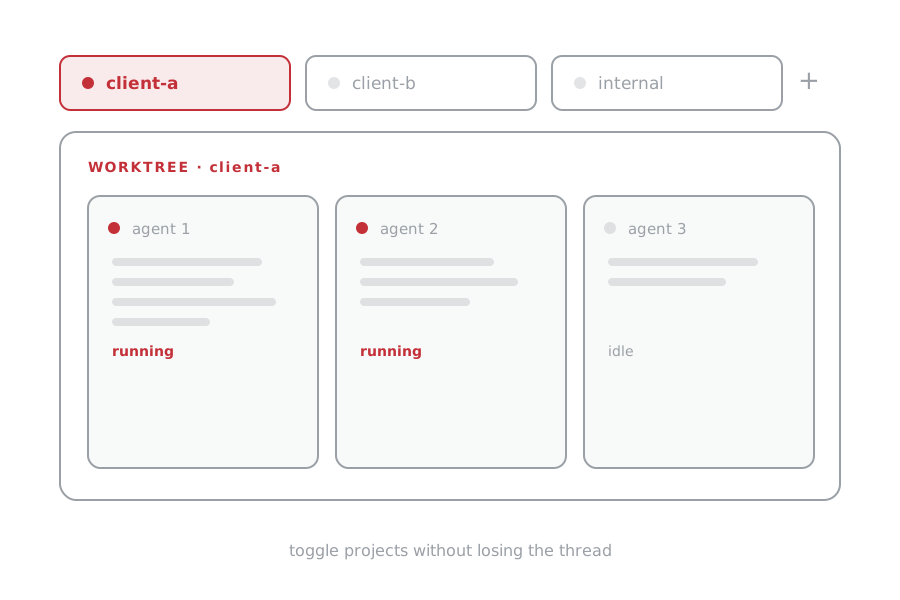
It is similar to Warp, but it handles worktrees especially well. Each client or project stays separate, with several agents visible inside each one.
I can toggle across projects without losing track of what every agent is doing.
- Why Superset: Similar to Warp. Better for how I use worktrees.
- Structure: Each client or project gets a clean home with several agents visible.
- Benefit: I can switch projects without losing the thread.
MillworkShield finds the clauses that cost subs money.
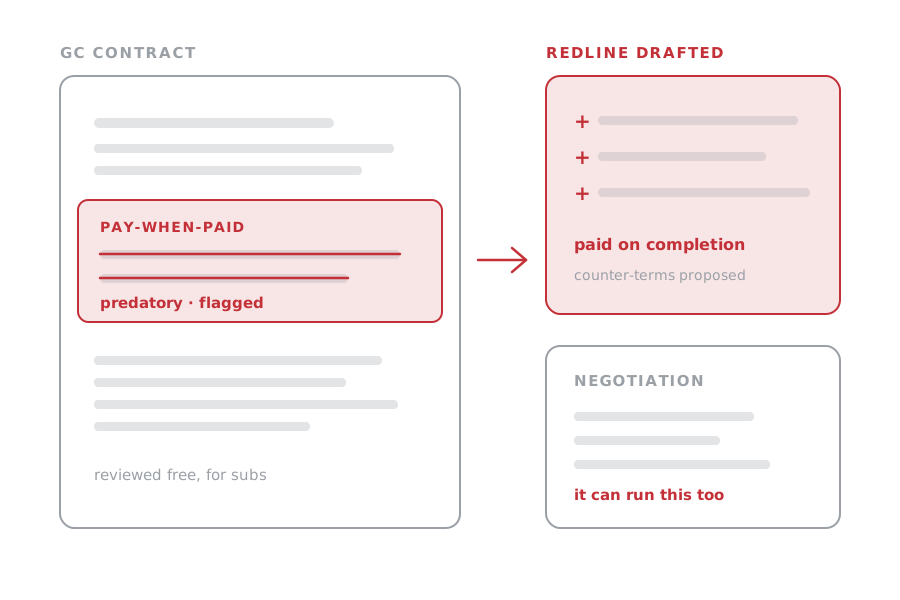
I built this free for subcontractors like my millwork shop. It reviews GC contracts, finds predatory terms, drafts redlines, and can handle the negotiation.
- Play principle: Always have side projects running for fun.
- When: I start these while an agent is doing real work.
- Why this one: I own a millwork shop. We face predatory GCs and expensive lawyers.
- What it does: Free contract review, redlines, and negotiation for subcontractors.
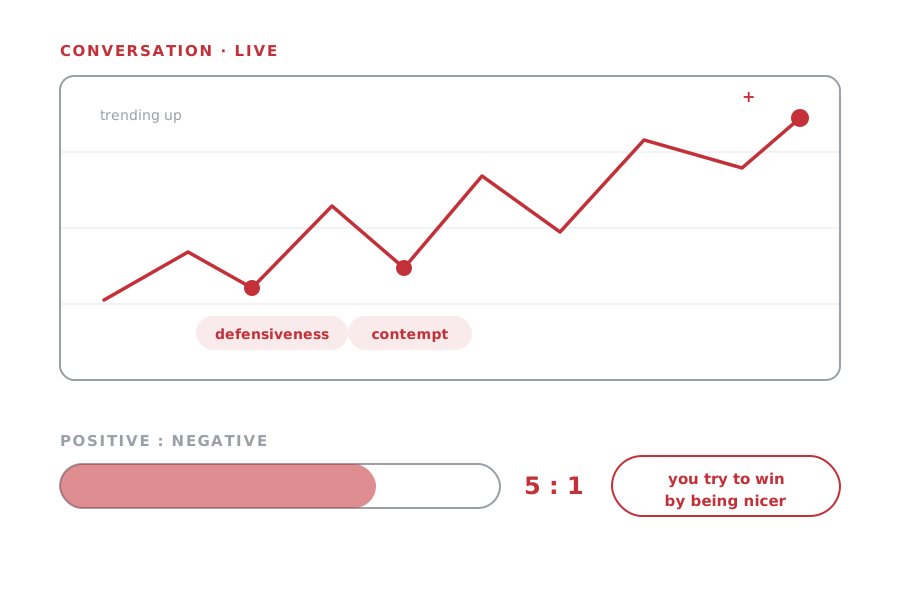
Between Us keeps score during hard conversations.
My wife and I built this experimental tool to flag defensiveness and contempt in real time, track the positive-to-negative balance, and chart the arc like a stock ticker.
- in the lab
- Built together: My wife and I made this experimental tool. It is separate from couples therapy.
- Live feedback: Positive moments, defensiveness, and contempt.
- Stock ticker: Shows the conversation trending up or down.
- The surprise: You try to win by being nicer. It helped us do that during conflict.
Overflow is a room for people who ship.
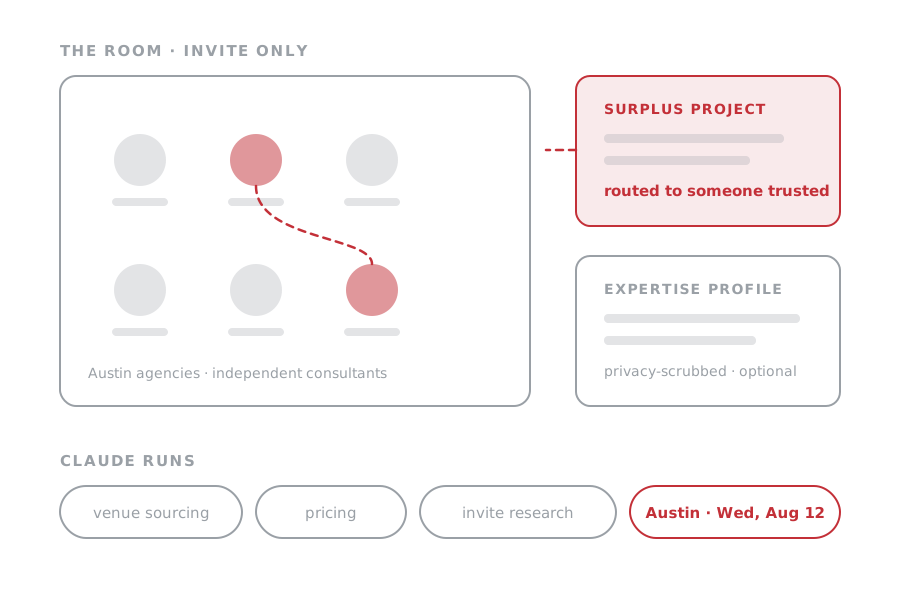
An invite-only community for Austin AI agencies and independent consultants doing real client work. Claude Code handles venue sourcing, invite research, and member matching.
Members can optionally create a privacy-scrubbed profile from their Codex and Claude history so we can match surplus projects to people we trust.
- next room: Austin, Wed, Aug 12
- Who: Austin AI agencies and independent consultants doing legitimate client work.
- Claude runs: Venue sourcing, pricing, confirmation calls, and invite research.
- Why: Route small or poor-fit projects to people we trust. Learn who we may want to hire.
- Profiles: Codex and Claude history becomes a privacy-scrubbed expertise profile. Upload is optional.
Take it all.
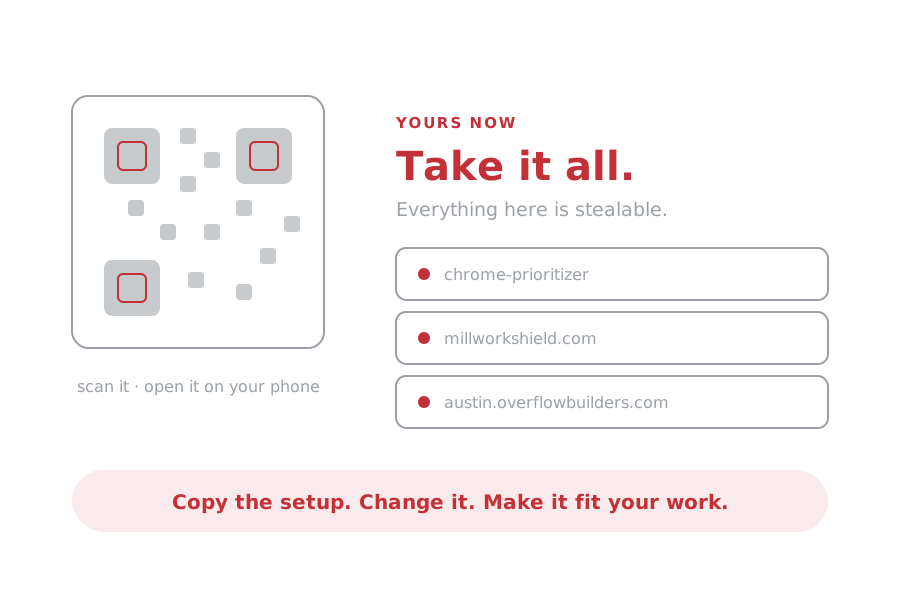
Everything here is stealable.
Scan it. Open it on your phone. Every link is one tap from here.
- Everything is here: The slides, every link, and the PDF.
- Take it: Copy the setup. Change it. Make it fit your work.
- Question: Which workflow would you steal first?